


SVAR Vue Toolbar is a Vue component for creating button and icon panels with configurable, responsive layouts. It supports different button types, multi-line toolbars, collapsible button groups, and responsive layouts that adapt to different screen sizes.
The component is fully customizable, TypeScript-ready, and compatible with Vue 3.
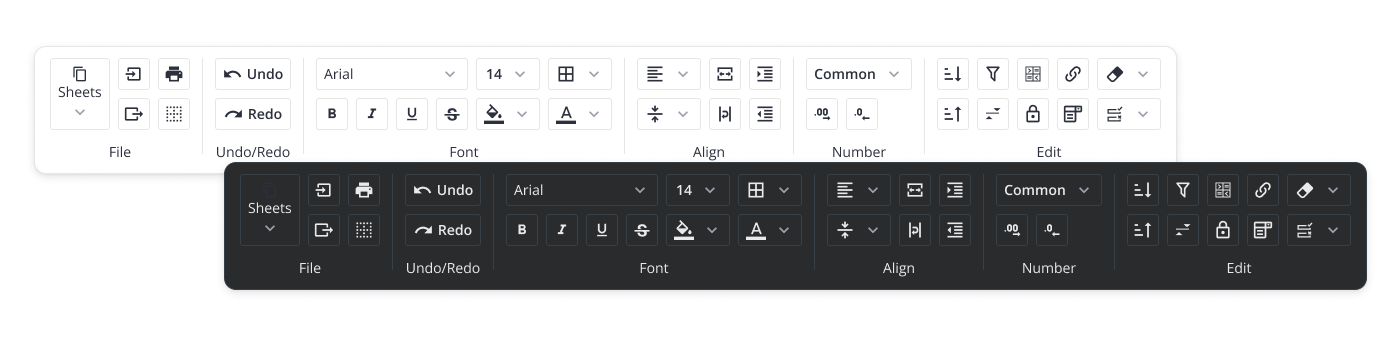
Along with the Toolbar, you can use the following SVAR Vue components to build a unified app interface:
- Core - collection of customizable Vue UI components and form controls;
- Menu - menu component for building basic menu bars, actions or context menus;
- Tasklist - basic to-do list component to add, edit, check or delete tasks;
- Comments - nice-looking comments section with bubbles or flow views;
- File uploader - simple file uploader component.
To start using SVAR Vue Toolbar, simply import the package and include the desired component in your Vue file:
<script setup>
import { Toolbar } from "@svar-ui/vue-toolbar";
import "@svar-ui/vue-toolbar/all.css";
</script>

<template>
  <Toolbar />
</template>
See the detailed guide to quickly set up and begin using SVAR Vue Toolbar component in your Vue projects.
Post an Issue or use our community forum.