
SpecTwin is a modular Python application for X-ray emission spectroscopy workflows. It combines:
- Digital Twin simulation based on
xrt - AutoFDMNES workflows for material-aware spectral simulation
- Data visualization and processing tools
- Subpixel/event analysis utilities
- Dear PyGui based graphical interfaces
The repository is currently structured as a desktop application and is mainly intended for Windows use, especially because it includes an fdmnes_win64.exe executable.
The following videos show the main workflows currently implemented in SpecTwin:
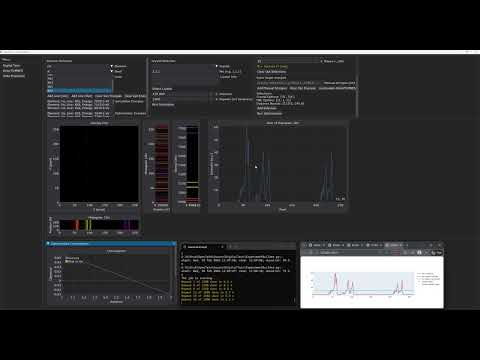
Demonstration of the digital twin workflow for simulation-driven spectrometer setup and optimization.
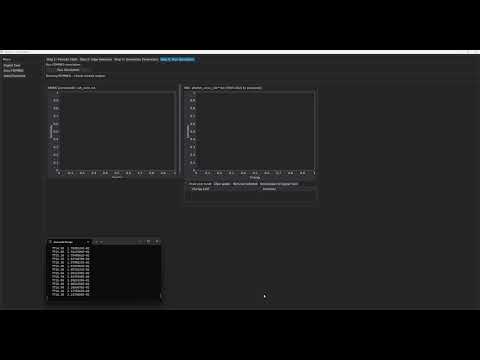
Demonstration of the XES simulation workflow implemented in the AutoFDMNES module.
SpecTwin/
├─ Source/
│  ├─ SpectwinMain.py          # Main application window
│  ├─ StartScreen.py           # Start screen / launcher
│  ├─ AutoFDMNES/              # FDMNES-based material simulation module
│  ├─ DigitalTwin/             # xrt-based digital twin module
│  ├─ DataVisualization/       # plotting and visualization tools
│  ├─ DataAlligning/           # data processing / alignment tools
│  ├─ MergeData/               # merge utilities
│  ├─ SubPixel/                # event/subpixel analysis tools
│  ├─ fonts/
│  └─ img/
└─ xrt_update/
   └─ screens.py               # patched xrt backend file
Recommended setup:
- OS: Windows 10/11
- Python: a clean virtual environment is strongly recommended
- Git for cloning the repository
Main Python dependencies used by the project include:
dearpyguinumpypandasscipymatplotlibplotlyPillowh5pysilxscikit-optimizexraydbxrtmp-api
git clone <your-gitlab-repo-url>
cd SpecTwinpython -m venv .venv
.\.venv\Scripts\Activate.ps1python -m venv .venv
.venv\Scripts\activateYou can install the packages manually:
pip install --upgrade pip
pip install -r requirements.txt
If you do not yet have a requirements.txt, use:
pip install dearpygui numpy pandas scipy matplotlib plotly pillow h5py silx scikit-optimize xraydb xrt mp-apiAfter installing xrt, copy the patched file from this repository:
xrt_update/screens.py
into your Python environment here:
Lib\site-packages\xrt\backends\raycing\
So the final target file becomes:
Lib\site-packages\xrt\backends\raycing\screens.py
This step is required because SpecTwin uses a customized version of screens.py for the digital twin workflow.
Make sure these folders remain next to the source code:
fonts/img/AutoFDMNES/fdmnes_Win64/
The application expects these files at runtime.
From the Source folder:
cd Source
python StartScreen.py
Alternatively, to open the main application directly:
cd Source
python SpectwinMain.pyStartScreen.py opens the landing page and launches the main application.
SpectwinMain.py provides access to the core modules:
- DigitalTwin
- VisualizeData
- ProcessData
- SubPixelResolution
- Merge .h5/.evt Files
- AutoFDMNES
The AutoFDMNES module supports:
- material lookup
- CIF retrieval
- FDMNES input generation
- EXAFS/XES simulation setup
- output/job management
The digital twin module is built around xrt and is used for simulation-driven geometry and analyzer optimization.
This repository includes Windows-specific FDMNES binaries under:
Source/AutoFDMNES/fdmnes_Win64/
The AutoFDMNES module uses the Materials Project API for CIF retrieval.
The key need to enter in mpr.py
Source/AutoFDMNES/mpr.py
Run the application from the Source directory so that relative paths to fonts/ and img/ resolve correctly.
Make sure the virtual environment is activated and all packages are installed.
Verify that the patched screens.py was copied into:
Lib\site-packages\xrt\backends\raycing\
Check that fdmnes_win64.exe exists in:
Source/AutoFDMNES/fdmnes_Win64/