




deer.sh is an AI agent purpose-built for debugging and managing Elasticsearch and the data infrastructure around it. Read-only shell access to your nodes for investigation. Isolated VM sandboxes with replayed data for testing fixes. Ansible playbooks for applying changes to production — reviewed and approved by you.
Features | How It Works | The TUI | The Daemon | Data Replay | Skills | Demo | Docs
                    Read-Only (direct SSH)          Sandbox (via daemon)
Agent Task  -->  Source Host (investigate)  -->  VM Sandbox (test fixes)  -->  Ansible Playbook  -->  Production
                  - Cluster health               - Full root access            - Human reviews
                  - Index stats                  - Replay Kafka data           - One-click apply
                  - Pipeline configs             - Edit Logstash configs
                  - Shard allocation             - Restart services safely
The agent investigates your cluster through a read-only shell, then spins up an isolated sandbox to test changes against replayed production data. When it finds a fix, it generates an Ansible playbook for you to review before anything touches production.
| Feature | Description |
|---|---|
| Read-Only Investigation | SSH into your nodes with a restricted shell — inspect cluster state, read logs, query services |
| VM Sandboxes | Full microVM isolation for the agent to test pipeline changes, restart services, experiment freely |
| Kafka Data Replay | Capture production Kafka topics with PII redaction, replay into Redpanda inside sandboxes |
| Elasticsearch Sandboxes | Spin up ES inside sandboxes to verify cluster config changes against real data patterns |
| Ansible Playbook Generation | Auto-generate playbooks from agent work — human reviews before any production apply |
| Interactive TUI | Natural language interface in your terminal — describe the problem, watch the agent work |
| MCP Integration | Use deer tools from Claude Code, Cursor, Windsurf |
| PII Redaction | All tool output scanned for secrets, keys, and connection strings before reaching the agent |
| Network Isolation | Sandboxes have no route to production — external network access requires explicit approval |
The TUI is the agent that runs locally on your machine. It has two modes of operation:
The TUI connects directly to your servers over SSH using your existing ~/.ssh/config — no daemon required. A restricted deer-readonly shell ensures the agent can only observe, never modify.
What the agent can do:
- Inspect cluster health, index stats, shard allocation (
curl localhost:9200/_cluster/health,_cat/indices,_cat/shards) - Read logs, configs, and pipeline definitions (
cat,journalctl,tail) - Query services and system state (
systemctl status,ps,df,ss) - Run diagnostics (
dig,ping,lsblk)
What the agent cannot do:
- Write, modify, or delete any files
- Start, stop, or restart services
- Install packages or execute scripts
Commands are validated twice: client-side against an allowlist in the CLI, and server-side by the restricted shell on the host. You can extend the default allowlist with extra_allowed_commands in your config.
When the agent needs to test a change, it creates an isolated sandbox VM through the daemon. In the sandbox, the agent has full root access — it can modify configs, restart services, install packages, and test fixes against replayed data. Nothing leaves the sandbox without your approval.
Toggle between modes with Shift+Tab.
deer source prepare <hostname>This runs 4 steps on the remote host:
- Installs a restricted shell script at
/usr/local/bin/deer-readonly-shell - Creates a
deer-readonlysystem user with that shell - Deploys deer's SSH public key to the user's
authorized_keys - Restarts sshd
After prepare, the host appears in /hosts as prepared. The CLI generates an ed25519 key pair at ~/.config/deer/keys/ on first run and reuses it for all hosts.
# List prepared hosts
deer source list
The daemon (deer-daemon) runs on the machine that hosts your sandboxes. It manages the full lifecycle of microVM sandboxes — pulling backing images, booting VMs, provisioning services inside them, and tearing them down.
The daemon auto-detects the best hypervisor backend based on your architecture:
| Platform | Backend | Notes |
|---|---|---|
| macOS (Apple Silicon) | HVF (Hypervisor.framework) | Native hardware acceleration |
| Linux (x86_64/ARM64) | KVM | Native hardware acceleration |
| Any (fallback) | QEMU TCG | Software emulation, slower |
Override with the accel config option if auto-detection doesn't match your setup.
- Pull backing image — The daemon connects to VM hosts using the deer daemon SSH key and pulls a snapshot of the source VM disk (via libvirt
virsh vol-downloador Proxmox API) - Create overlay — A qcow2 overlay is created on top of the backing image so the original is never modified
- Boot microVM — QEMU boots the VM with a dedicated network interface (TAP device on Linux, socket_vmnet on macOS)
- Provision services — Cloud-init installs and configures Redpanda, Elasticsearch, or other services inside the sandbox
- Ready — The agent gets full root SSH access to the sandbox via short-lived certificates issued by the daemon's SSH CA
Sandboxes boot into an isolated network with no route to production by default. If the agent needs to reach an external service (e.g., to verify a fix against a staging API), it requests access and you approve it from the TUI. All network requests outside the sandbox boundary require explicit human approval.
The daemon runs its own SSH CA. It issues short-lived certificates (30-minute TTL) for sandbox access. Certificates embed identity information and enforce security restrictions (no port forwarding, no agent forwarding, no X11 forwarding).
deer.sh can capture data from your production Kafka topics and replay it inside sandbox VMs — giving the agent real data patterns to debug against without exposing production.
- Configure capture — Tell the daemon which Kafka bootstrap servers and topics to capture from, including auth (SASL/TLS)
- Capture & redact — The daemon consumes messages from your Kafka cluster and persists them as JSON segment files. All PII is redacted before storage — the agent never sees raw production data
- Provision Redpanda in sandbox — When a sandbox is created with Kafka data sources, the daemon installs and starts a local Redpanda broker inside the VM
- Replay — Captured (redacted) records are replayed into the sandbox's Redpanda instance, giving the agent a fully functional data pipeline to test against
This gives the agent a complete feedback loop: it can investigate an issue in read-only mode, spin up a sandbox with replayed data, test a Logstash pipeline fix against real message shapes, verify the output, and generate an Ansible playbook for production.
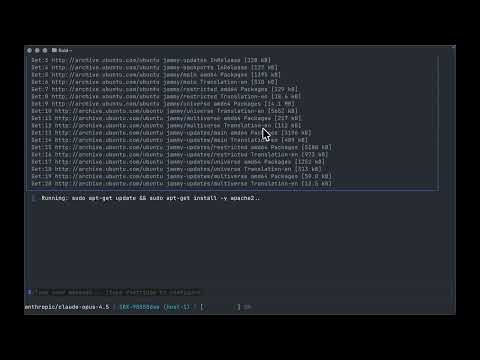
Try the hands-on demos:
- ES Cluster Red Demo — Boot a 5-node Elasticsearch cluster locally, kill a node to trigger a yellow state, and let the agent diagnose and fix it
- Logstash Pipeline Demo — A Kafka → Logstash → Elasticsearch pipeline with a processing bug for the agent to track down
All tool output is scanned for sensitive data before it reaches the AI agent. This prevents accidental exposure of credentials through commands like cat /etc/ssl/private/server.key or kubectl get secret -o yaml.
| Type | Examples |
|---|---|
| PEM private keys | RSA, EC, ED25519, OPENSSH private key blocks |
| Base64-encoded keys | Output of cat key.pem | base64, Kubernetes secret values |
| Kubernetes secrets | tls.key, ssh-privatekey, private_key, secret_key fields |
| API keys & tokens | sk-..., key-..., Bearer tokens, AWS access keys (AKIA...) |
| Connection strings | postgres://, mysql://, mongodb://, redis:// URIs |
| IP addresses | IPv4 and IPv6 addresses |
Redaction runs at two layers: inline when each tool returns results, and again before the full conversation is sent to the LLM. The agent sees [REDACTED: ...] placeholders instead of actual values.
The agent ships with built-in skills that give it deep domain knowledge for Elasticsearch and the surrounding data stack. When the agent encounters a problem, it can load a skill to get step-by-step playbooks, common failure modes, and diagnostic commands.
| Skill | Description |
|---|---|
| elasticsearch-audit | Enable, configure, and query ES security audit logs |
| elasticsearch-authn | Authenticate via native, LDAP/AD, SAML, OIDC, JWT, or certificate realms |
| elasticsearch-authz | Manage RBAC: users, roles, role mappings, document/field-level security |
| elasticsearch-esql | Query data with ES|QL, analyze logs, aggregate metrics, build charts |
| elasticsearch-file-ingest | Ingest CSV/JSON/Parquet files with stream processing and custom transforms |
| elasticsearch-security-troubleshooting | Diagnose 401/403 failures, TLS problems, expired API keys, role mapping mismatches |
| kafka | Topic management, consumer group monitoring, cluster health diagnostics |
| kibana-alerting-rules | Create and manage alerting rules via REST API or Terraform |
| kibana-audit | Configure Kibana audit logging for saved object access, logins, and space ops |
| kibana-connectors | Manage connectors for Slack, PagerDuty, Jira, webhooks, and more |
| kibana-dashboards | Create and manage Kibana Dashboards and Lens visualizations |
| log-aggregation | ELK Stack deployment, Logstash pipeline building, Filebeat configuration |
| observability-llm-obs | Monitor LLMs: performance, token/cost, response quality, workflow orchestration |
| observability-logs-search | Search and filter observability logs using ES|QL during incidents |
| observability-service-health | Assess APM service health using SLOs, alerts, throughput, latency, error rate |
| security-alert-triage | Triage Elastic Security alerts — gather context, classify threats, create cases |
| security-case-management | Manage SOC cases via the Kibana Cases API |
| security-detection-rule-management | Create, tune, and manage SIEM and Endpoint detection rules |
| find-skills | Discover and install new skills from GitHub or local directories |
The agent loads skills on-demand via the list_skills and load_skill tools — ask it in natural language and it will pull in the relevant knowledge automatically.
Install additional skills from GitHub or a local directory:
# From GitHub (owner/repo)
deer skills install elastic/agent-skills//skills/elasticsearch/elasticsearch-security-troubleshooting

# From a local directory
deer skills install ./my-custom-skill

# List installed skills
deer skills list

# Remove a skill
deer skills remove elasticsearch-security-troubleshooting
A skill is just a directory containing a SKILL.md file with YAML frontmatter (name, description, version). Drop it in ~/.config/deer/skills/ or install via the CLI. User-installed skills override built-in skills of the same name.
curl -fsSL https://deer.sh/install.sh | bashOr with Go:
go install github.com/aspectrr/deer.sh/deer-cli/cmd/deer@latestdeerOn first run, onboarding walks you through host setup and LLM API key configuration.
                          Direct SSH (read-only)
deer (TUI/MCP)  -------------------------------->  Source Hosts
       |                                              - deer-readonly user
       |                                              - restricted shell
       |                                              - command allowlist
       |
       +--- gRPC :9091 --->  deer-daemon  --->  QEMU microVMs (sandboxes)
                                   |                  - Redpanda (data replay)
                                   |                  - Elasticsearch stubs
                                   +--- control-plane (optional, multi-host)
                                   |
                                   +--- web dashboard
- deer-cli: Interactive TUI agent + MCP server. Connects directly to source hosts via SSH for read-only investigation, and to the daemon via gRPC for sandbox operations and data replay.
- deer-daemon: Background service managing microVM sandboxes, SSH CA, snapshot pulling, and Kafka data capture/replay.
- control-plane (api): Multi-host orchestration, REST API, web dashboard.
- web: React dashboard for monitoring and approval.
Connect Claude Code, Codex, or Cursor to deer via MCP:
{
  "mcpServers": {
    "deer": {
      "command": "deer",
      "args": ["mcp"]
    }
  }
}
17 tools available: create_sandbox, destroy_sandbox, run_command, edit_file, read_file, create_playbook, and more. See the full reference.
| Command | Description |
|---|---|
/vms |
List available VMs |
/sandboxes |
List active sandboxes |
/hosts |
List configured hosts |
/playbooks |
List Ansible playbooks |
/settings |
Open configuration |
/compact |
Compact conversation |
/context |
Show token usage |
/clear |
Clear history |
/help |
Show help |
Copy text by dragging and holding Shift.
- mprocs — Multi-process runner for local dev
- Go 1.24+
- QEMU/KVM — See local setup docs
git clone https://github.com/aspectrr/deer.sh.git
cd deer.sh
mprocs
Services:
- Web UI: http://localhost:5173
- API: http://localhost:8080
deer-cli/        # Go - Interactive TUI agent + MCP server
deer-daemon/     # Go - Background microVM sandbox management daemon
api/              # Go - Control plane REST API + gRPC
sdk/              # Python - SDK for the API
web/              # React - Dashboard UI
proto/            # Protobuf definitions
cd deer-cli && make test
cd deer-daemon && make test
cd api && make test
cd web && bun run buildThe live Redpanda guest integration test in deer-daemon/internal/provider/microvm/redpanda_integration_test.go needs three guest assets on the host:
- a base Ubuntu cloud image
- a matching kernel
- a matching initrd
The daemon expects a QCOW2 backing image. Ubuntu publishes the current Noble cloud image as ubuntu-24.04-server-cloudimg-amd64.img, which is suitable for QEMU microVM use even though the filename ends in .img. A simple symlink to a .qcow2 name keeps the local workflow consistent with deer's image store.
Use the helper script from the repository root:
./scripts/download-microvm-assets.shThat script downloads the image, kernel, initrd, and SHA256SUMS, verifies the checksums, creates the .qcow2 symlink, and prints the DEER_E2E_* environment variables you can use for the live guest test.
To inspect exactly what it would do without downloading anything:
./scripts/download-microvm-assets.sh --dry-runOn macOS, the most reliable way to run TestProviderIntegration_RedpandaStartsInGuest is inside a Linux Lima VM:
brew install lima
bash ./scripts/run-redpanda-e2e-lima-host.sh --repo-root "$PWD"
Or from deer-daemon/:
cd deer-daemon
make redpanda-e2e-limaFor teams with security and compliance requirements, deer.sh supports:
- Encrypted snapshots at rest — Source images encrypted on sandbox hosts with configurable TTL and secure wipe on eviction
- Network isolation — Sandboxes boot into isolated networks with no route to production by default, explicit allowlists for service access
- RBAC — Control which users and teams can create sandboxes from which source VMs
- Audit logging — Full trail of every snapshot pull, sandbox creation, and destruction
- Secrets scrubbing — Configurable per source VM: scrub credentials before sandbox creation or keep exact replica for auth debugging
- Scoped daemon credentials — Read-only snapshot capability on production hosts, nothing else
If you need these, reach out to Collin to learn more about an enterprise plan.
- Fork the repository
- Create a feature branch
- Make changes with tests
- Submit a pull request
All contributions must maintain the security model and include appropriate tests.
Reach out on Discord with questions or for access to test VMs.
MIT License — see LICENSE for details.
Made with 🦌 by Collin, Claude & Contributors