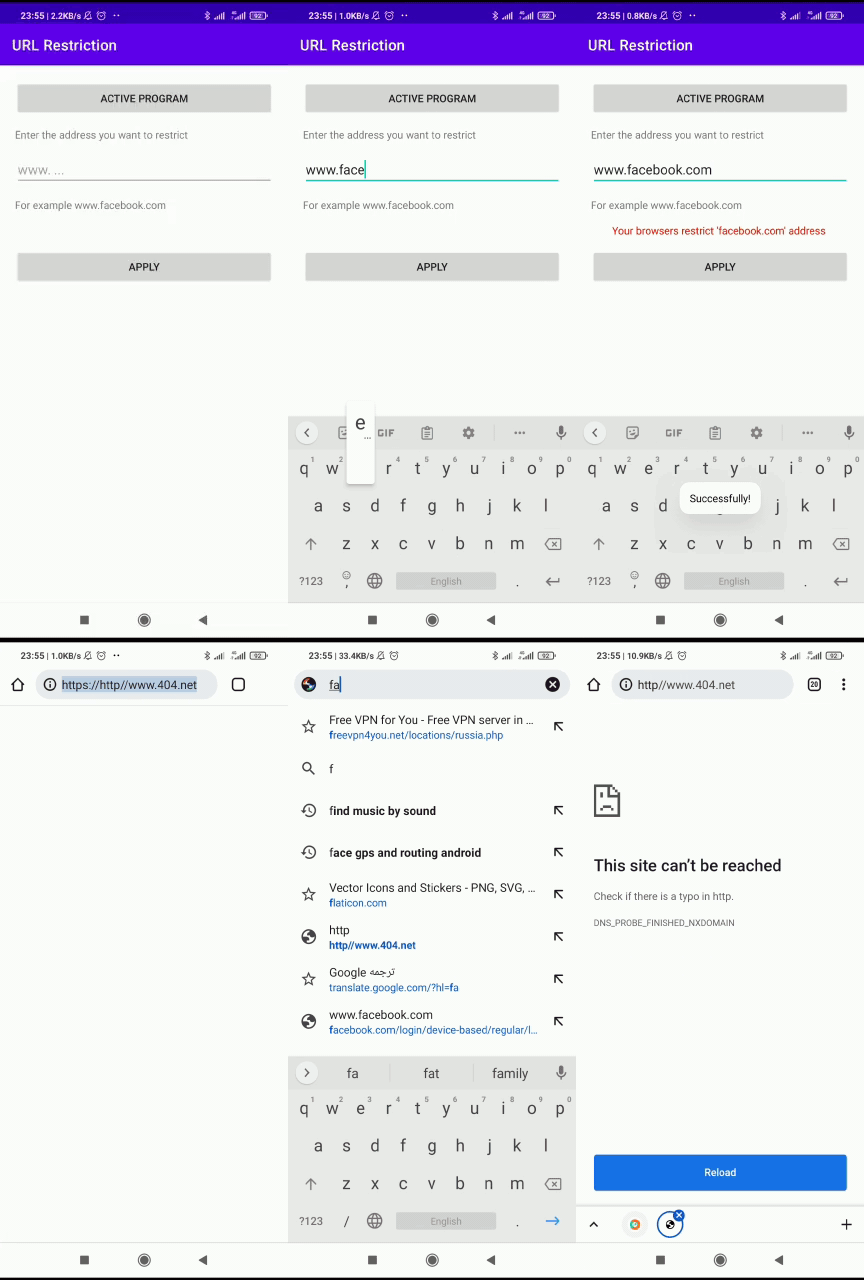
In this repository, you can restrict the URLs that the user enters in their browser.
Accessibility services should only be used to assist users with disabilities in using Android devices and apps. They run in the background and receive callbacks by the system when AccessibilityEvents are fired. Such events denote some state transition in the user interface, for example, the focus has changed, a button has been clicked, etc.
- Use this link to read more.
Add the JitPack repository to your settings.gradle:
dependencyResolutionManagement {
    repositories {
        ...
        maven { url 'https://jitpack.io' }
    }
}Add the dependency
dependencies {
    implementation 'com.github.Amir-yazdanmanesh:Accessibility-Service-Browser-URL-Filter:2.0.0'
}Activate accessibility service on your device
startActivity(Intent(Settings.ACTION_ACCESSIBILITY_SETTINGS))Set the restricted address and redirect address using UrlFilterConfig:
val service = MyAccessibilityService.instance ?: return
service.urlFilterEngine.config = UrlFilterConfig(
    restrictedAddress = "facebook.com",
    redirectTo = "https://www.404.net"
)
Have fun!
The accessibility service will look for an id of an address bar text field and try to intercept the URL from there. We detect either manual user input or redirect on link pressing (because in this case, the new URL will also be visible in an address bar).
- Google Chrome
- Mozilla Firefox
- Opera Browser
- Opera Mini
- DuckDuckGo
- Microsoft Edge
- Oppo Browser (Coloros)
- Samsung Internet
- Android 5.0+ (API level 21+)
- Background permission must be granted on Xiaomi (MIUI) devices
- Kotlin 2.0.21
- Jetpack Compose with Material 3
- Android Gradle Plugin 8.7.3
- Gradle 8.9
- compileSdk / targetSdk 35
Version 2.0.0 includes breaking changes:
- Package renamed from
com.yazdanmanesh.url_resterictiontocom.yazdanmanesh.url_restriction AccessibilityUtils.Builderreplaced byUrlFilterConfigdata class- Configuration is now set directly on
MyAccessibilityService.instance.urlFilterEngine.config - Module renamed from
url-resterictiontourl-restriction