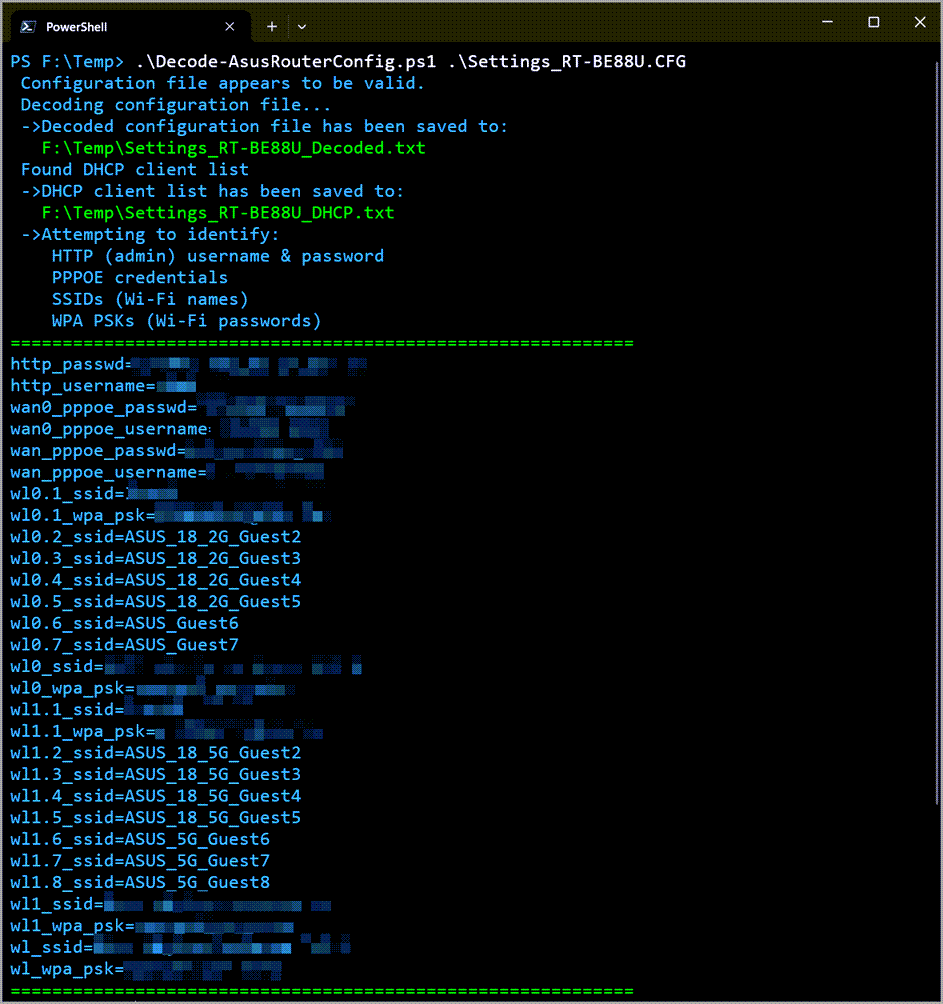
PowerShell script that decodes the .cfg file resulted from backing up the configuration of an Asus router.
It saves the entire decoded content of the .cfg file as [FileName]_Decoded.txt.
It saves Admin, PPPOE, and WiFi credentials as [FileName]_Credentials.txt.
If the config file contains a DHCP client list, it will be formatted as pipe-delimited text and saved as [FileName]_DHCP.txt.
It also displays the following information if found in the config file:
- Admin username
- Admin password
- SSIDs (Wi-Fi names)
- WPA PSKs (Wi-Fi passwords)
- PPPOE credentials
Based on the this Bash script
Works with PowerShell version 5.1 and above.
PS>.\Decode-AsusRouterConfig.ps1 '.\Settings_RT-XXXXX.CFG'PS>.\Decode-AsusRouterConfig.ps1 'C:\Path\To\File\Settings_RT-XXXXX.CFG' PS>.\Decode-AsusRouterConfig.ps1 '.\Settings_RT-AX86U Pro.CFG' -OutputDirectory 'C:\Decoded'- Asus RT-BE88U
- Asus RT-AX86U Pro
- Asus RT-AC86U
- Asus AX58U